In short
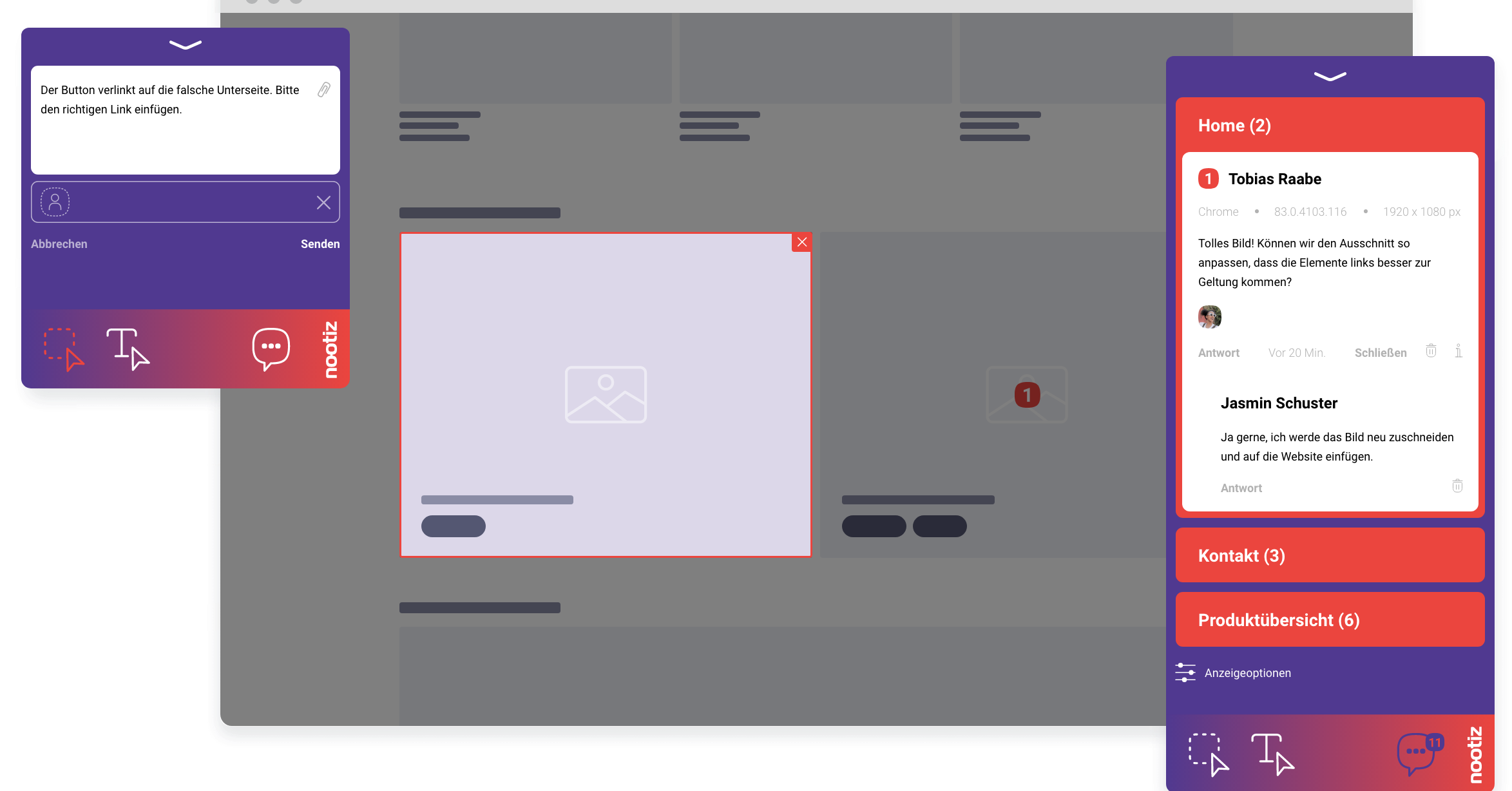
nootiz collects the technical context of every note automatically: browser, operating system, screen size, URL and the affected element. Your team never has to ask which browser or device was involved, because the answer is already in the note.
What data does a note capture exactly?
For every note nootiz records the browser with version, operating system, screen resolution, the exact page URL and the clicked element. This data is captured at the moment of creation in the reporter's browser, not reconstructed afterwards.
Fewer follow-ups means better margins
Every follow-up costs two context switches: one for the client, one for your team. Automatically captured metadata removes the most common reason for them and lets your team work on the actual problem right away.
Does the client need to install anything for the data to be captured?
No. Once the nootiz snippet is embedded on the page, capturing and transmitting the data happens automatically in the background. The client notices nothing beyond the ability to leave a note.
How does developer info differ by device?
If a client reports from a smartphone, nootiz captures the mobile screen size and mobile browser; if from a desktop, the corresponding desktop values. Your team can immediately see whether an issue is device-specific.
How does a developer use this information day to day?
When opening a note, the developer sees at a glance the environment the bug was reported in, and can configure their own browser accordingly or replicate the view with responsive mode instead of guessing.
How does developer info connect to bug tracking?
The automatic details are the foundation of every bug report in nootiz. Without them, a report is just a description; with them, it becomes a reproducible test case.
What mistake often happens without automatic capture?
Without automatic data, teams rely on the reporter's memory, who often only says “on my phone” or “in Chrome” without the exact version. nootiz eliminates that ambiguity completely.
What are the limits of automatic capture?
What gets captured is what the browser exposes: display and environment data. Things like network speed, server logs or backend processes are not included – for those, a look at your own server monitoring is still necessary.
Why is screen resolution alone often not enough?
A layout bug frequently only shows up with a particular combination of resolution, browser zoom level and operating system font size. A single number like “1920x1080” says little about how a page actually rendered. That is why nootiz captures resolution together with browser and operating system as one connected data set, instead of listing isolated values. That lets a developer reproduce the reported environment directly in their own responsive mode instead of guessing which combination was meant from scattered fragments. For layout problems that only appear on specific devices, this difference is what separates a note that is instantly reproducible from one that triggers yet another follow-up question.