In short
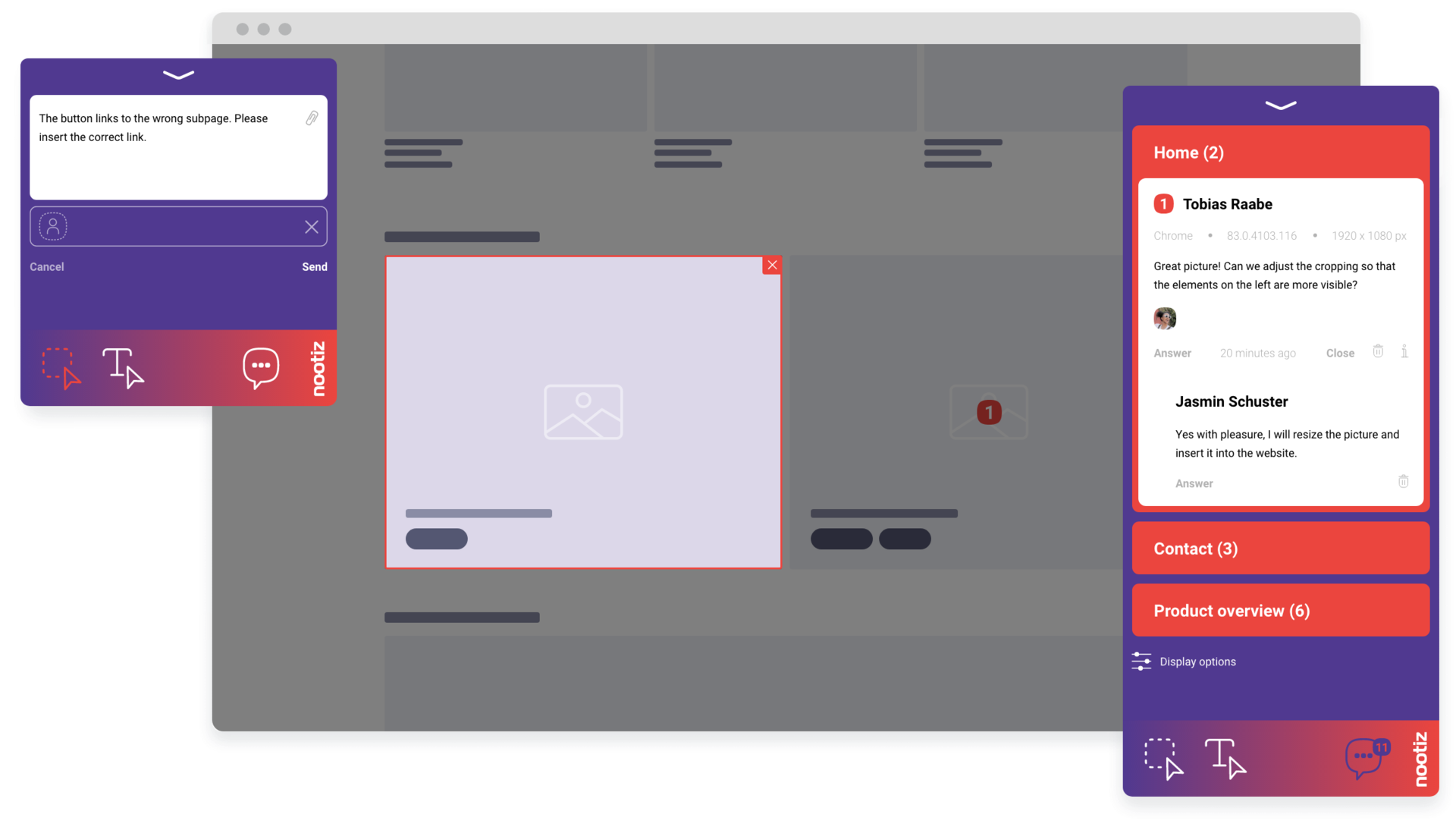
Your client opens the page through a link and places notes directly on the element – no account, no onboarding. Every note keeps its location, author and status, and can be handed over as a task to Asana, Trello, Jira or GitHub. The Agency plan covers 36 projects per year, 5 users and 2 domains.
How do you stop client feedback from arriving by email?
Instead of asking for “feedback by email”, you send the client a link to the live page or staging site. The client clicks the element they mean and writes the note right on it – no account, no login, no detour through their inbox. For you, that means one channel instead of five, and every note lands exactly where it belongs.
How do you reconcile feedback from several contacts at the same client?
On many projects, the marketing lead, management and an external consultant all comment on the same page. Every note automatically stores its author, location and timestamp, so contradictions surface immediately instead of showing up only once you start building. An account manager can spot where the client and their own leadership disagree before the internal meeting, and settle it before it ever reaches a ticket.
How do you hand feedback over to developers?
Every note can be handed off as a task to Asana, Trello, Jira or GitHub in one click, complete with location, screenshot context and automatically captured technical details. Your developer opens the ticket and lands directly on the affected element instead of asking in the project channel which page and which button were meant.
How do you keep track of several client projects at once?
Each project stays separate in nootiz: its own domain, its own note list, its own approval status. The Agency plan covers 36 projects per year, 5 users and 2 domains, so a project lead can run several clients in parallel without mixing up notes from different websites.
- 36 projects per year, 5 users, 2 domains, 20 GB
- All features included, no feature gating
- 30-day free trial, no credit card
How do you stop unbillable extra rounds of feedback?
Most unplanned extra work comes from misunderstandings, not real change requests. When a note is attached to the element itself, there is no room left for interpreting what was meant. That cuts the number of rounds your proposal never accounted for, and makes any genuine extra work easy to justify.
How do you prove a round is closed?
Every note moves through a status from open to in progress to done. At the end of a round, the note list for each page shows whether anything is still outstanding. Sign-off becomes a glance at the list instead of a call – and afterwards you have a record of what was requested and what was delivered.
How do you onboard clients who refuse to learn new software?
You don't have to onboard them. The client opens the link, sees their website as usual, and clicks the spot that bothers them. There is no dashboard to explain and no account to create – that is the difference between a tool that sits in your proposal and one that actually gets used day to day.