
How do you assign a note to a team member?
In the note itself or in the project list, you pick a person from your team. From that moment the note appears in their personal view, and everyone else can see who is responsible for it.
Every task has an owner and a status.
In short
Notes can be assigned to team members and tracked by status, so it is always clear who is working on what and what is still open, without anyone having to ask around or schedule a status meeting.
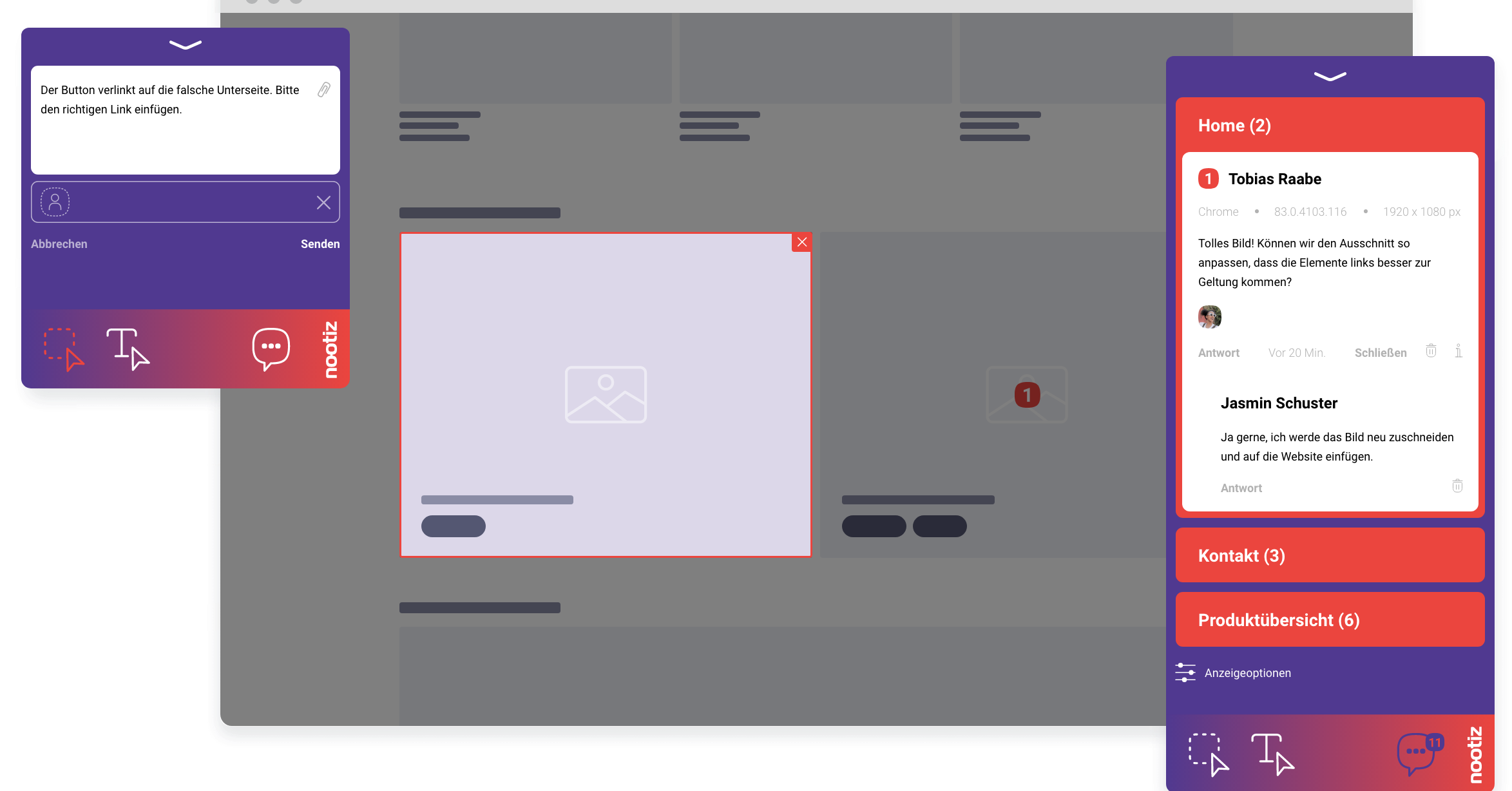
In the note itself or in the project list, you pick a person from your team. From that moment the note appears in their personal view, and everyone else can see who is responsible for it.
When feedback, ownership and status live on the same object, you no longer need a status meeting to find out where the project stands. Anyone can check the current state themselves instead of waiting for someone to summarize it.
By default, every invited team member sees every note in a project. Assignment means responsibility, not a visibility restriction – so the whole team stays informed even when a task formally belongs to one person.
You can reply directly on the note instead of writing a new email or chat message. The thread stays attached to the note, so the history of an item remains traceable at any time, even months later.
Team includes 2 users, Agency 5 and Company 15, priced at €9.99, €19.99 and €29.99 per month respectively. All features, including assignment and status, are available on every plan.
As soon as a note or a reported bug is assigned, the responsible person receives a notification. Status, assignment and notifications work together so nobody has to manually announce a task to the team.
A classic mistake is assigning tasks only verbally, so they end up undocumented anywhere. Without a fixed status, an item quickly falls out of sight. Assignment in nootiz makes responsibility visible and permanently traceable.
nootiz manages ownership and status for feedback and tasks around a website. It does not replace a full project management tool with time tracking or resource planning – it stays deliberately lean and focused on website feedback.
On client projects it is often unclear who internally owns a given piece of feedback, especially since the client has no visibility into internal responsibilities. Assignment in nootiz solves that without the client noticing anything: they leave their note as usual, while internally it is clear who handles it. If ownership changes, say because a colleague is on leave, the note can be reassigned without asking the client anything. For the client the process stays equally simple regardless of how many people are working on their project behind the scenes – a difference that becomes especially noticeable at agencies with a team composition that shifts from week to week.
Team includes 2 users, Agency 5, Company 15. For more seats there is Enterprise.
A note has one clear owner; for joint discussion you use the reply feature directly on the note.
Team members manage notes and assignments together; granular role management is not currently part of the feature.
Yes, the assignment is visible to everyone in the project, including the client who created the note.
Yes, a note can be reassigned to a different person at any time, for example when responsibilities change during the project.
Their assigned notes remain intact and can be reassigned to another team member.
No, nothing changes in the process for the client; ownership is adjusted purely on the internal side.
Deeper pages on platforms, comparisons and hands-on workflows.
For project managers who want to know a site's approval status without calling a status meeting.
→Use caseFor relaunch projects where many stakeholders review one staging version at the same time.
→GuideHow to structure a design review – with clear stages, responsibilities and a realistic timeline.
→Comparisonnootiz is a Pastel alternative focused on ongoing projects rather than one-off review links: notes, statuses, assignments and developer metadata inside a persistent project.
→PlatformOn staging, preview and password-protected sites nootiz works by serving the snippet in the staging environment. Anyone with the link and, if needed, the password can leave notes directly.
→PlatformOn Squarespace you add the nootiz snippet under Settings → Advanced → Code Injection (header). After that anyone with your link can leave notes on the page without signing in to Squarespace.
→Add the snippet, share the link, collect feedback right on the page – live in under 5 minutes.